Om ossBetingelserPersonvernKontakt
 
Oppdaterer
i41CX

i41CX

Utgivelsesdato: 2008-10-16
© 2008-2024 AL Software
i41CX - QR Code
Versjon 7.6.15
4+
Last ned fra App Store
Versjon 7.6.15
4+
Last ned fra App Store
Utgivelsesdato: 2008-10-16
© 2008-2024 AL Software

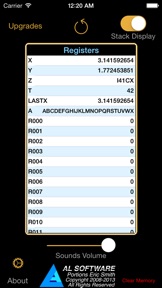
iPhone Screenshots

Skjermbilde
Skjermbilde
Skjermbilde
Skjermbilde
Skjermbilde

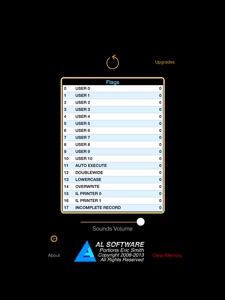
iPad Screenshots

Skjermbilde
Skjermbilde
Skjermbilde
Skjermbilde
Skjermbilde

Beskrivelse

i41CX is the same powerful advanced programmable RPN scientific calculator as the highly acclaimed i41CX+ but without the latter’s incredibly advanced capabilities such as the printer, expansion, CAS, etc. It is functionally equivalent to the world-renowned HP-41CX and inherits all of the i41CX+ usability features including extremely responsive and animated key clicks, audible key feedback sounds, optimally spaced keys for accurate input, traditional and upbeat modern diverse set of skins, etc.
If you are looking for a powerful programmable RPN scientific calculator but don’t need all of the capabilities of i41CX+ then i41CX is for you. And best of all, if you ever decide that you need the more advanced capabilities of i41CX+ you can enable them using secure in-app purchases right within the app!
FEATURES:
• RPN logic with a 4 element deep memory stack
• 319 main and 124 extended memory registers
• Over 300 built-in functions, including nearly 100 functions created specifically for i41CX
• Time, calendar, alarm, and stopwatch functions
• Rich set of functions and algorithms: numerical, mathematical, statistical, and much more
• Access to the entire HP-41 library of solutions for science, mathematics, statistics, engineering, business, financial, surveying, medicine, real estate, and many other domains
• Programmable - Over 2000 lines
• User definable keyboard
• Ability to operate the calculator using a Bluetooth keyboard
• Device integration: external display mirroring, copy and paste, GPS, accelerometer, digital compass, time and date synchronization, and much more
• iOS 8 Notification Center widget
• Sound support including synthetic tones and interface sounds
• Support for calculator skins and optional mini stack display
• Adjustable sound volume and display colors
• Usage & Examples table with usage tips and examples
• Quick reference guide of all built-in functions
• Beautiful and clean user interface
***********************************************************
A comprehensive FAQ is available at http://alsoftiphone.com/i41CX. Please don't hesitate to use the "Contact Us" link there if you cannot find the answers or information that you seek. Thank you.

Hva er nytt i denne versjon? (7.6.15)

• Minor bug fixes

Selger

Navn

Antonio Lagana

Informasjon

Kategorier

Versjon

7.6.15

Størrelse

389,7 MB

Game Center

Nei

VPP Device Licensing

Ja

Vurdering

Aldersgrense: 4+

Kompatibilitet

iOS 9.0 eller senere

Enheter

iPhone 5s, iPhone 6, iPhone 6 Plus, iPhone 6s, iPhone 6s Plus, iPhone SE, iPhone 7, iPhone 7 Plus, iPhone 8, iPhone 8 Plus, iPhone X, iPhone XR, iPhone XS, iPhone XS Max, iPhone 11, iPhone 11 Pro, iPhone 11 Pro Max, iPhone SE (2. generasjon), iPhone 12, iPhone 12 Pro, iPhone 12 Pro Max, iPhone 12 mini, iPhone 13, iPhone 13 Pro, iPhone 13 Pro Max, iPhone 13 mini, iPhone SE (3. generasjon), iPhone 14, iPhone 14 Plus, iPhone 14 Pro, iPhone 14 Pro Max, iPhone 15, iPhone 15 Plus, iPhone 15 Pro, iPhone 15 Pro Max, iPad (femte generasjon) Wi-Fi, iPad (femte generasjon) Wi-Fi + Cellular, iPad (6. generasjon) Wi-Fi, iPad (6. generasjon) Wi-Fi + Cellular, iPad Pro, iPad Pro (Cellular), iPad Pro (9,7-tommers), iPad Pro (9,7-tommers) (Cellular), 12,9-tommers iPad Pro (2. generasjon), 12,9-tommers iPad Pro (2. generasjon) Wi-Fi + Cellular, iPad Pro (10,5-tommer), iPad Pro (10,5-tommer) Wi-Fi + Cellular, iPad Pro (11-tommer), iPad Pro (11-tommer) Wi-Fi + Cellular, 12,9-tommers iPad Pro (3. generasjon), 12,9-tommers iPad Pro (3. generasjon) Wi-Fi + Cellular, iPad Air, iPad Air (Cellular), iPad Air 2, iPad Air 2 (Cellular), iPad Air (tredje generasjon), iPad Air (tredje generasjon) Wi-Fi + Cellular, iPad mini Retina, iPad mini Retina (Cellular), iPad mini 3, iPad mini 3 (Cellular), iPad mini 4, iPad mini 4 (Cellular), iPad mini (femte generasjon), iPad mini (femte generasjon) Wi-Fi + Cellular, iPad (7. generasjon) Wi-Fi + Cellular, iPad Pro (11-tommers, 2. generasjon), iPad Pro (11-tommers, 2. generasjon) Wi-Fi + Cellular, iPad Pro (12,9-tommers, 4. generasjon), iPad Pro (12,9-tommers, 4. generasjon) Wi-Fi + Cellular, iPad Air (fjerde generasjon) (Wi-Fi), iPad Air (fjerde generasjon) (Wi-Fi + Cellular), iPad (8. generasjon) Wi-Fi, iPad (8. generasjon) Wi-Fi + Cellular, iPad Pro (11-tommers, 3. generasjon), iPad Pro (11-tommers, 3. generasjon) Wi-Fi + Cellular, iPad Pro (12,9-tommers, femte generasjon), iPad Pro (12,9-tommers, femte generasjon) Wi-Fi + Cellular, iPad (9. generasjon), iPad (9. generasjon) Wi-Fi + Cellular, iPad mini (6. generasjon), iPad mini (6. generasjon) Wi-Fi + Cellular, iPad Air (5. generasjon), iPad Air (5. generasjon) Wi-Fi + Cellular, iPad Pro (11-tommers, 4. generasjon), iPad Pro (11-tommers, 4. generasjon) Wi-Fi + Cellular, 12,9-tommers iPad Pro (6. generasjon), 12,9-tommers iPad Pro (6. generasjon) Wi-Fi + Cellular, iPad (10. generasjon), iPad (10. generasjon) Wi-Fi + Cellular, iPod touch (sjette generasjon), iPod touch (7. generasjon)

Språk

engelsk

App Store: Poeng

Vurderinger og omtaler

5,0 av 5 (3 Vurderinger)

App Store: Omtaler

2020-10-22

Almost perfect

This app was the main reason for me to choose iPhone over other smartphones.
The only feature I am missing is the ability to load and save programs from an external source.
GunnarN
Versjon 7.6.4
2013-05-11

Fantastic

Its been many years since I used a HP-41 but it all came back quickly after downloading and starting. It took me 5 mins to write the first program and it felt like I was actually holding the calculator physically and not my iPhone 5!
TorsteinKongshem
Versjon 5.8
2009-01-18

Great idea & well implemented !

As a "fan" of those old-timers I can only appreciate these gizmos now on the super modern I-Phone. It "feels" almost like the real HP in fast all aspects, but the hard, clicky touch on every key, which was so special in those calculators back then.
Suggest you consider emulating the HP-67 as well?
huracanito